


YouTube Premium costs money each month. You pay for it. Then you get special features. Ads disappear from all videos. Millions of people use this service around the world. This guide shows you what Premium does. It helps you choose if you want it.
Looking for a reliable source to get premium features? Now you can head over to U7BUY and buy youtube account at the cheapest prices you can imagine!
What Is YouTube Premium?
YouTube Premium is a monthly payment. The cost is twelve dollars. You stop seeing ads when you pay. You also get YouTube Music Premium. This music app has no ads. You can play millions of songs.
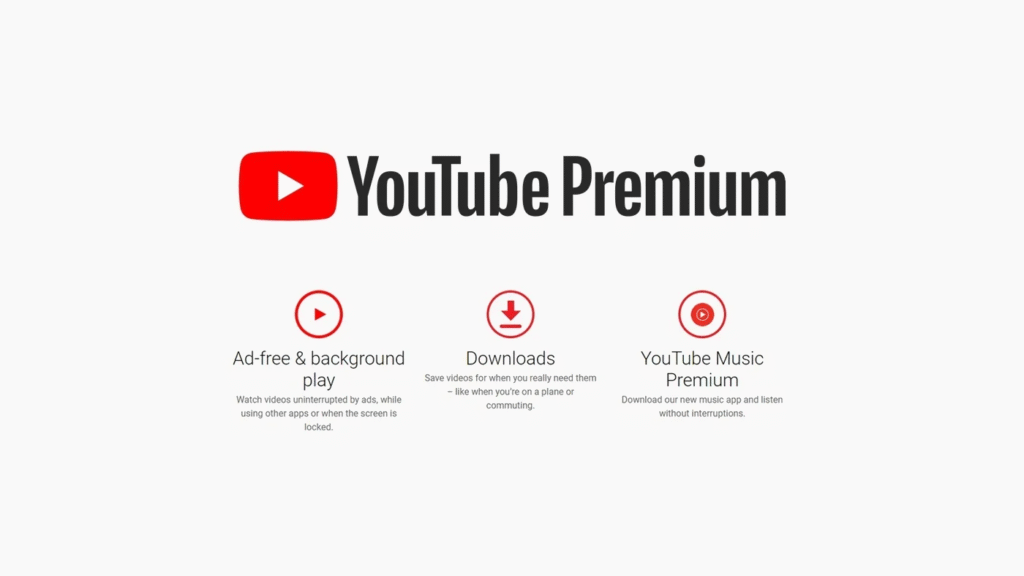
Premium gives you extra tools. Normal users cannot use these tools. You watch them later without internet. Sometimes you test new features early.
Main Features of YouTube Premium
No More Ads on Videos
People buy Premium mainly to remove ads. Ads are gone completely. No ads before videos. No ads during videos. No ads after videos. This happens on every device you own. Your phone works this way. Your tablet works this way. Your computer and TV also work this way.
Some videos still have ads inside them. The person who made the video put them there. They talk about products. They show their merchandise. Sports games also have ads sometimes. But YouTube ads vanish when you pay.
Keep Videos Playing in the Background
You can leave the YouTube app. Your video keeps playing. You hear the sound. This helps with music. This helps with podcasts. This helps with long videos. You can read messages while listening. You can look at photos while listening. You do whatever you want.
YouTube becomes a music player. Start your video. Switch to another app. The sound continues. Nothing stops it.
Download Videos to Your Device
Premium lets you save videos. They go on your phone. They go on your tablet. You watch them later. You need no internet to watch them. This helps on airplanes. This helps in places with bad signals. This helps when you want to save data.
YouTube Music Premium Included
Every Premium account includes music. YouTube Music Premium comes free. It works like Spotify. It works like Apple Music. Millions of songs are available. All songs have no ads. You download music. You play music offline. You play music in the background.
Music Premium alone costs ten dollars monthly. You get it free with YouTube Premium. This saves money.
Better Video and Audio Quality
Premium members get better quality. Videos look sharper. Videos look clearer. Sound quality improves. Music sounds better.
| Feature | What You Get |
| Better HD Video | Sharper pictures with more details |
| Better Sound Quality | Cleaner audio on music videos |
| Smoother Playback | Action videos look much better |
The video upgrade shows more details. Every part of the picture looks better. Fast action looks smooth. Complex scenes look clear. Professional videos look amazing.
Simple Control Tools
Jump to Good Parts
Jump Ahead is smart. It knows where viewers skip forward. Other people watched the video already. They showed where the good parts are. You tap forward. YouTube jumps you there automatically. You find great content fast. No searching needed.
Computers have this feature. Phones have this feature. TVs have this feature. Many languages work. English works. Spanish works. French works. German works. Japanese works. Korean works.
Choose Your Next Video
Premium lets you build playlists. You pick the next video. YouTube does not pick for you. Your phone can do this. Your tablet can do this. You build your list while watching. Your current video keeps playing.
Float Short Videos Over Other Apps
YouTube Shorts can float. A tiny window appears. You see it while using other apps. This works on iPhones. This works on iPads. Short videos keep playing. You stay in other apps at the same time.
Continue Videos on Any Device
Premium remembers your place. Start watching on your phone. Stop in the middle. Go home. Turn on your TV. The video continues right where you stopped. Every device knows your place.
Hidden Features You Can Try
Fast Settings Access
Premium Controls makes things easy. All important settings appear together. Change video quality quickly. Turn background play on or off. Manage your downloads. One place does everything. Android phones have this. iPhones have this. iPads have this.
Test New Features Early
Premium members become testers. YouTube makes new features. You try them first. Other people wait. You get early access. Go to a special page. See what is available. Pick what you want to test.
Past test features included many things. Faster video speeds. Helper tools that answer questions. Automatic downloads for Shorts. Better audio settings.
New tests appear often. They change regularly. You see different options each time. Some tests become real features. Some tests disappear. You get to try everything early.
Watch Videos Together in Calls
Google Meet works with Premium. You can watch videos during calls. Other people in the call watch too. Everyone sees the video. Everyone watches on their own app. Your watch history stays private. Your recommendations stay private.
Android phones support this now. Other people do not need Premium. They can join for free.
Movies at No Extra Cost
Premium includes some movies. Not many movies. Fewer than Netflix. Fewer than other services. Still some good films though. No extra payment needed. Find them in Your Premium Benefits section.
Should You Buy Premium?
Think about your YouTube habits. Think about what you need. Here are things to consider.
Buy Premium if:
- You watch YouTube daily
- Ads bother you constantly
- You need offline videos often
- You listen to music on YouTube
- You want background playback
Skip Premium if:
- You watch YouTube rarely
- Ads do not bother you
- You have another music service already
- You mainly watch on computers
Premium offers free trials. Try everything first. See if you like it. Then decide about paying.
Conclusion
YouTube Premium removes ads completely. It adds download features. It plays videos in the background. It includes music streaming. Video quality improves. Audio quality improves. Easy controls appear everywhere.
Jump Ahead saves time. Smart Downloads work automatically. Videos sync across devices. Premium Controls simplify settings. These features do more than remove ads. They give you control. They make watching easier.
The cost is twelve dollars monthly. You get everything. YouTube Music Premium costs almost the same alone. Getting both together saves money.
