

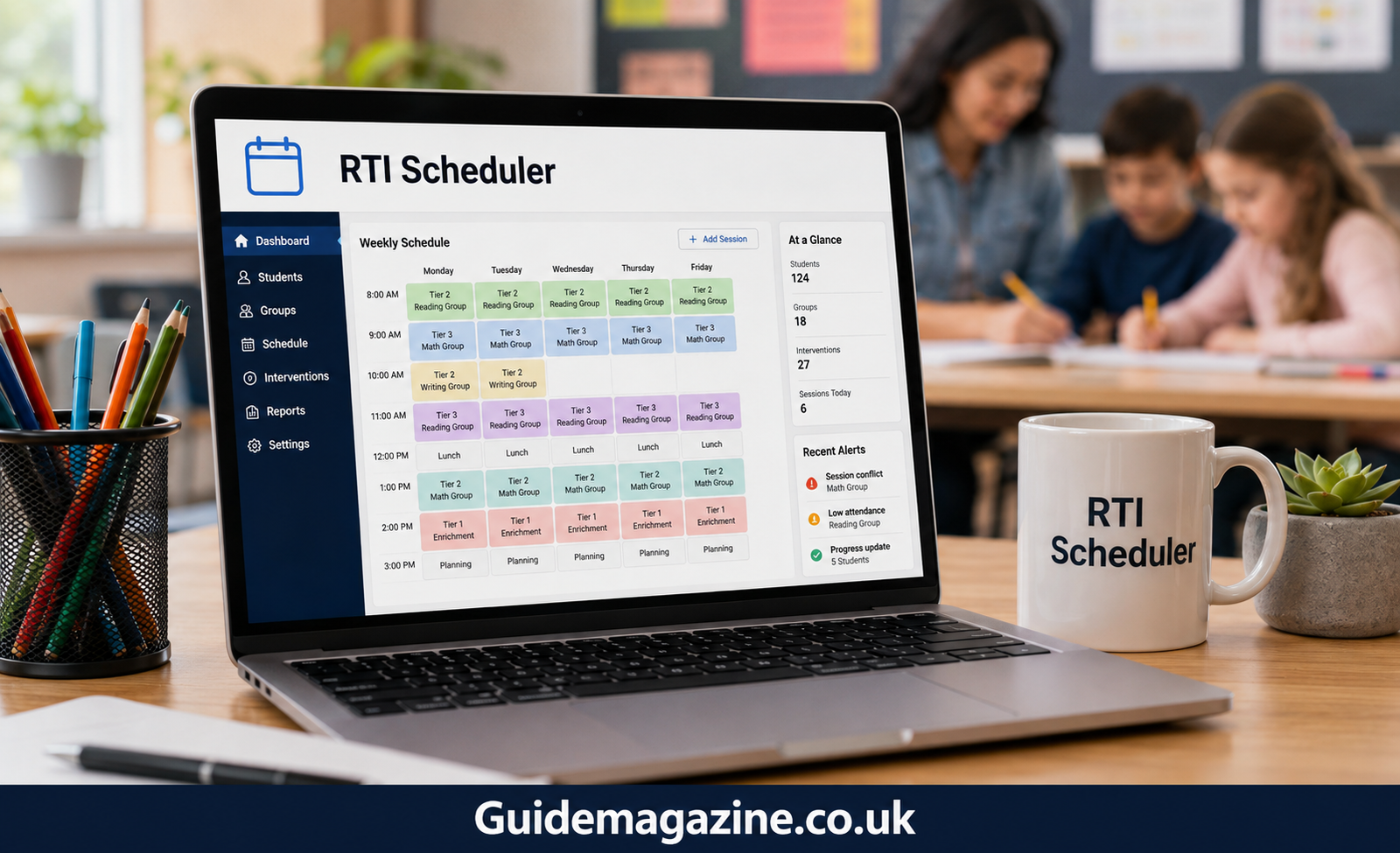
Managing an RTI (Response to Intervention) or MTSS (Multi-Tiered System of Supports) program can be difficult. Schools need to match students with the right intervention, teacher, and time slot while protecting core instruction.
An RTI scheduler makes this process easier. It helps schools organize intervention groups, manage staff availability, reduce scheduling conflicts, and adjust support as student needs change.
What Is an RTI Scheduler?
An RTI scheduler is a scheduling tool designed to organize student interventions within the school day. It helps administrators and intervention teams decide which students need support, who should provide it, and when it should happen.
Instead of managing multiple spreadsheets, staff calendars, and student lists, schools can use one system to build and manage intervention schedules.
A good scheduler can also help organize students by skill needs and intervention tier. This makes it easier to provide targeted support without taking students away from important classroom instruction.
Why Is RTI Scheduling Important?
Creating intervention schedules manually takes a lot of time. It can also create problems when student needs, staff availability, or assessment results change.
Common scheduling problems include:
- Students being assigned to overlapping groups
- Teachers or interventionists being double-booked
- Intervention sessions being missed
- Students receiving support at inconvenient times
- Difficulty tracking required intervention minutes
- Groups becoming outdated after new assessment results
An RTI scheduler reduces these problems by organizing the information in one place and identifying conflicts before they affect the school schedule.
Key Features of an RTI Scheduler
The best tool should do more than create a basic timetable. It should help schools manage the entire intervention process.
| Feature | How It Helps |
|---|---|
| Student Grouping | Places students into groups based on similar academic needs. |
| Conflict Detection | Identifies scheduling conflicts involving students, staff, or rooms. |
| Assessment Data Integration | Uses current student data to support better intervention decisions. |
| Progress Monitoring | Helps teams review student growth and adjust support. |
| Intervention Tracking | Records whether students receive their planned intervention time. |
| Master Schedule Integration | Helps prevent conflicts with core classroom instruction. |
| Staff Management | Helps balance intervention groups across available staff. |
| Reports | Makes it easier to review intervention schedules and service records. |
How an RTI Scheduler Supports Better Student Outcomes
A scheduling tool does not improve achievement by itself. However, it can help schools deliver interventions more consistently and efficiently.
1. Protects Intervention Time
Students need regular access to targeted instruction. A structured schedule helps protect intervention periods instead of treating them as time that can be moved whenever another activity appears.
2. Creates More Targeted Groups
When student data is used to build groups, students with similar needs can receive more focused instruction. This can make intervention time more productive.
3. Makes Adjustments Easier
Student needs can change quickly. Progress-monitoring data may show that a student needs additional support or is ready to move to a different level.
A flexible scheduler allows teams to update groups without rebuilding the entire schedule from scratch.
RTI Scheduler vs. Manual Scheduling
Manual scheduling can work for a small program, but it becomes harder as the number of students, staff, and intervention groups increases.
| Manual Scheduling | RTI Scheduler |
| Relies heavily on spreadsheets | Centralizes scheduling information |
| Conflicts may be found manually | Automatically flags many conflicts |
| Group changes take more time | Groups can be updated more easily |
| Data may need manual entry | Some tools can integrate assessment data |
| Tracking requires additional work | Intervention records can be easier to manage |
The main advantage is not simply saving time. It is making the intervention process easier to manage when many moving parts are involved.
Common Challenges
Implementing an RTI scheduler still requires planning. Technology cannot fix poor data or an unsuitable school schedule.
Poor Data Quality
If assessment information is outdated or incorrect, student groups may also be inaccurate. Schools should review their data before creating intervention groups.
Limited Staff Availability
A scheduler cannot create additional interventionists. Schools may still need to balance group sizes, staff skills, and available time.
Tight Master Schedules
If every period is already full, finding a suitable intervention block can be difficult. Schools may need to create a shared intervention period first.
Staff Training
Teachers and intervention coordinators need to understand how the system works. Short, practical training can make adoption easier.
Best Practices for Using an RTI Scheduler
Schools can get better results by following a few simple practices:
- Check your data first. Make sure assessment information is current and accurate.
- Create protected intervention blocks. Avoid scheduling them around constantly changing activities.
- Start with a small pilot. Test the process with one grade level or team before expanding.
- Review groups regularly. Use progress-monitoring data to determine whether students still need the same support.
- Track actual services. Compare planned intervention time with what students actually received.
- Train staff early. Make sure everyone understands their role before the schedule goes live.
Who Uses an RTI Scheduler?
Several people may use an RTI scheduling system, depending on the school’s structure.
Principals can use it to review intervention coverage and staff capacity.
Intervention coordinators can build groups, assign staff, and make schedule changes.
Teachers can use updated group information to understand when students receive additional support.
District administrators can review intervention data across multiple schools and identify scheduling or resource problems.
What Should Schools Consider Before Choosing One?
Before selecting an RTI scheduler, schools should consider their actual needs rather than choosing a system based only on the number of features.
Ask:
- Can it handle the number of students and staff in your school?
- Can it work with your existing assessment data?
- Does it identify scheduling conflicts?
- Can staff update groups easily?
- Does it track intervention minutes?
- Can it generate useful reports?
- Is the system simple enough for everyday use?
- Does the provider offer training and support?
A tool that is easy for staff to use is often more valuable than one packed with features that nobody uses.
FAQs
1. What is an RTI scheduler?
An RTI scheduler is a tool that helps schools organize student intervention groups, staff, and intervention times.
2. How does an RTI scheduler help schools?
It reduces scheduling conflicts, protects intervention time, and makes it easier to match students with the right support.
3. Who can use an RTI scheduler?
Principals, intervention coordinators, teachers, and district administrators can use an RTI scheduler to manage intervention programs.
Conclusion
An RTI scheduler helps schools turn a complicated intervention process into a more organized system. It can reduce scheduling conflicts, simplify group management, protect intervention time, and make it easier to respond to changing student needs.
However, technology is only one part of successful RTI implementation. Schools also need accurate data, trained staff, protected intervention periods, and regular progress reviews.
